Installation

Installation and setup guide
Download script zip. Unzip and find the folder containing all the files (not a folder containing a single folder). Place this folder in your resources and ensure that it will be ensured in your server.cfg (Can either ensure the folder this resource is within or the resource itself).
Requirements are ox_lib so confirm you have that running
Setting your item names and images
You can now start creating drug items. You may need to do some renaming according to the names you have in your core (or ox_inventory) items list.
In this variants list you can define the different item names for various drugs. Sometimes you have multiple drug items (different qualities perhaps) that all sell as the same drug (quality does get taken into account elsewhere)

The names in these list need to be identical to the names in your items list.
For example if I want to add meth to my drugs. I find it in my ox_inventory list and then copy the index
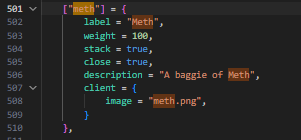
If I am using a system more like QBCore I will copy the name from the items list and it will be from the name attribute of the object

While you are finding this name, also ensure that the item has an image associated with it. This image name which appears like "meth.png" or "oxy.png" is the same name the script will use when finding the images for the menu.
Grab the images
In ox_inventory the images are located under ox_inventory>web>images. Copy all images you need and paste them in my resource under jack-drugselling>web>public. Leave the names unchanged.
Creating Drug items
This list defines all the sellable drugs. The index of each entry should exist under DRUGNAMES at the top of the config. This is just an Enum used to make accessing these names in script easier. If you want to add a new drug not in this list you can add it to the DRUGNAMES and use it in the same ways.
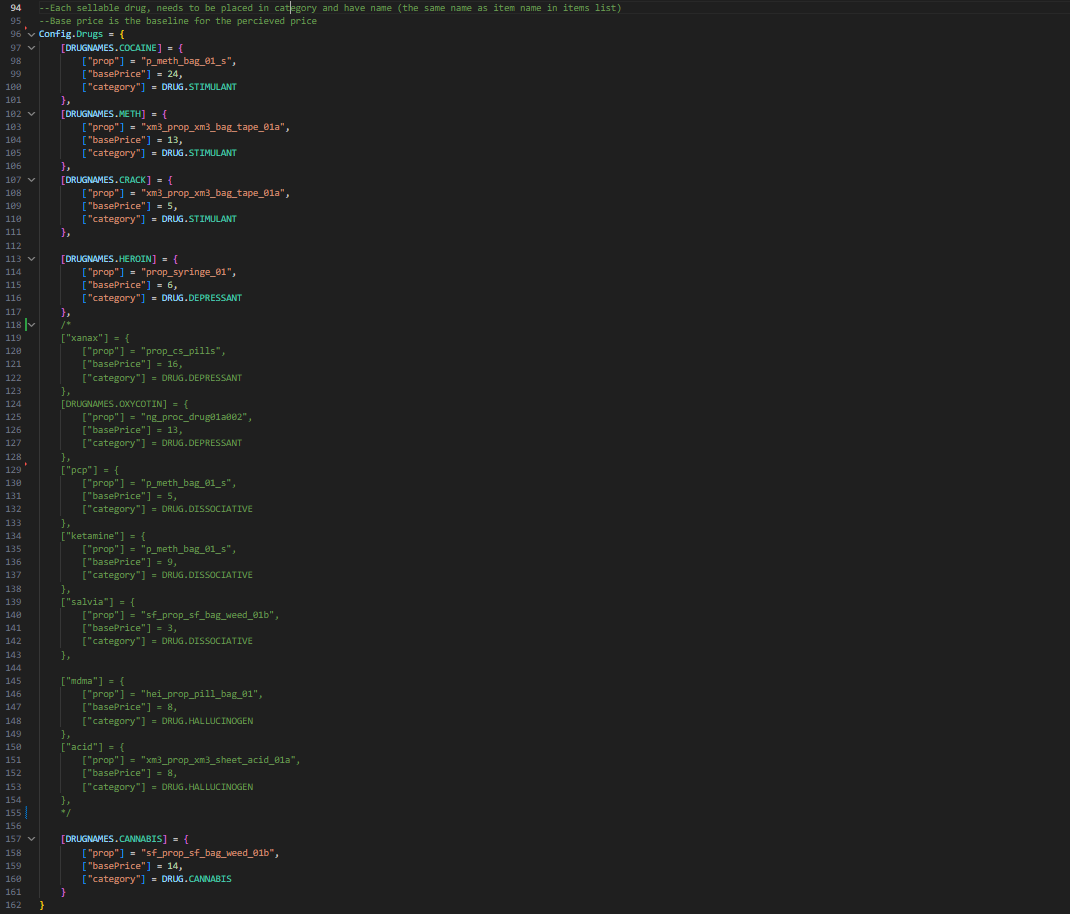
Each drug needs a prop model, a base price, and a category.
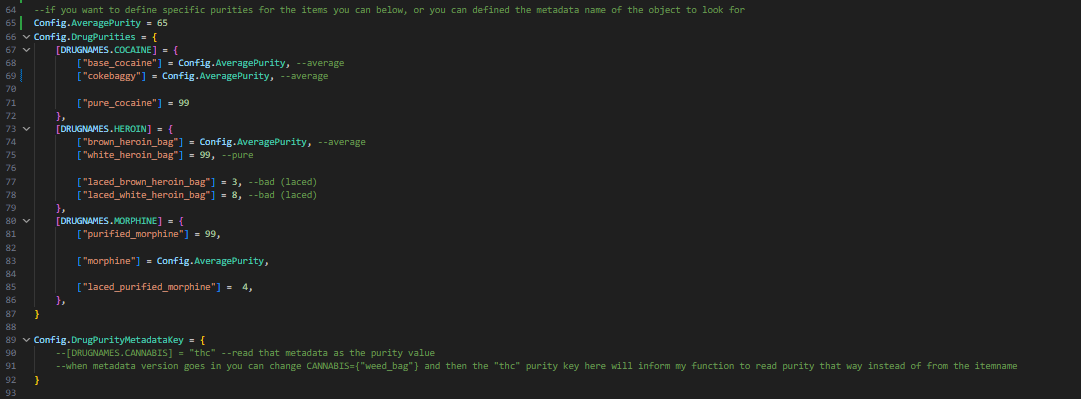
Drug purity can be set according to different versions of a drug (base_cocaine, pure_cocaine) or by a metadata on the item. Left untouched all will have AveragePurity and the system wont affect the price
Installation and Setup guide
Installation
After downloading my mod you will have 3 resources.
- jack-bankrobbery (Escrowed)
- jack-ai_lib (Escrowed)
- jack-objectspawner_lib (Open source)
These can be put into any folder. If there's a question of ensure order, it should be jack-objectspawn_lib -> jack-ai_lib -> jack-bankrobbery
Items
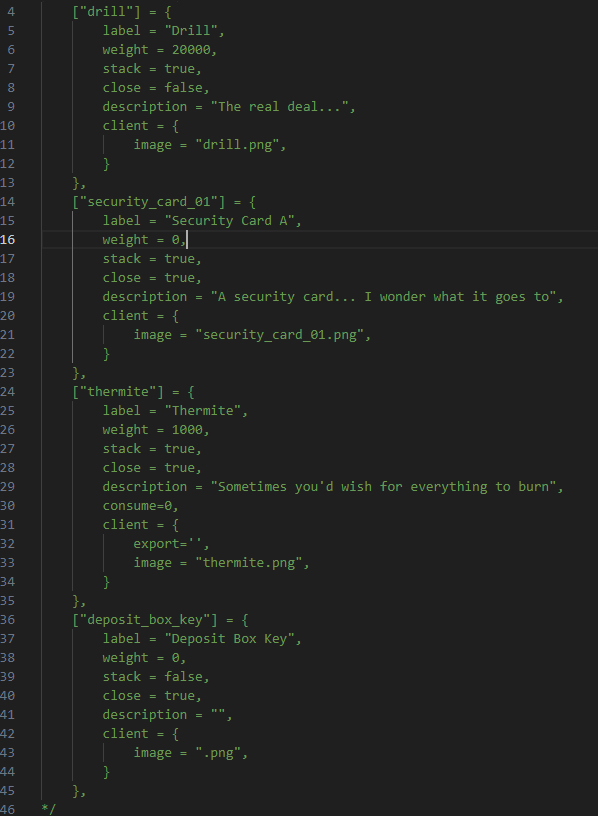
You may need to add some items to your ox_inventory > data > items list. I have included their structure at the top of the config.
- thermite
- drill
- security card
- deposit box key
Dev Tools
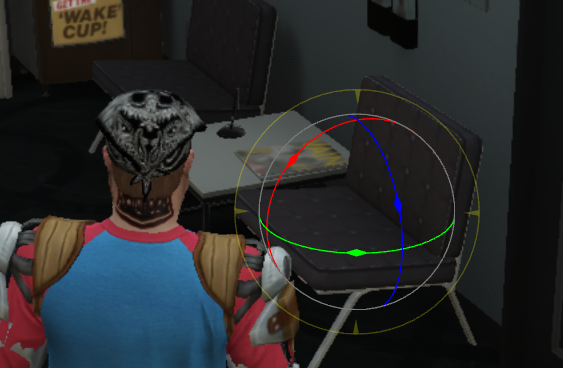
/bankConfigEditor will show a entity raycast that lets you see AI state/task and also gizmos move objects.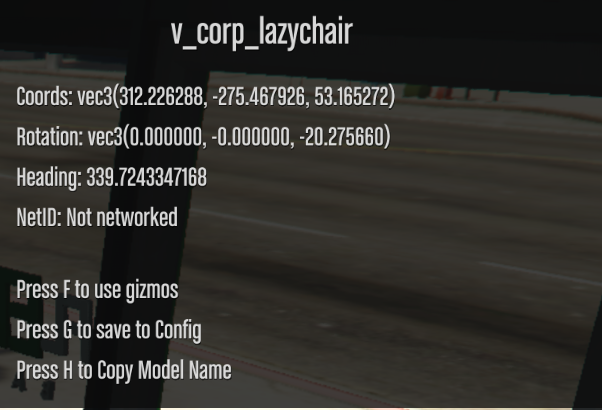

Save to config will open an ox_lib input dialog prompting you to type a object index and subindex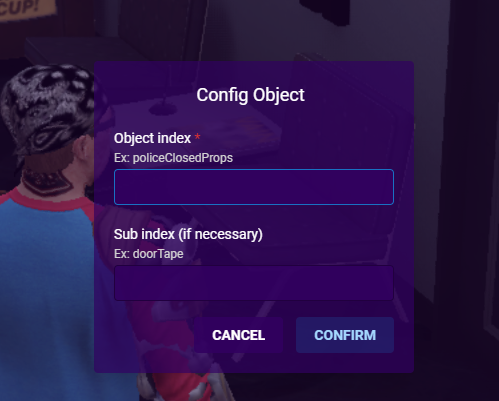
This is used to find the object in the bank you are in and copy the other associated data so it can all be copied to your clipboard. For example if I want to change the door police barrier rotation I would type
policeClosedProps
doorTape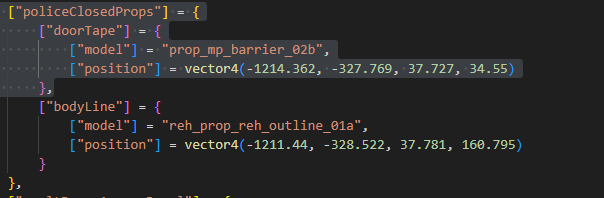
See the tutorial for expanding details here
Zone setup
(Enable the Config.DebugPoly to see zones and debug lines and print statements)
Depending on the MLO you are using (or none) you may have to adjust some objects or move some zones. I've created a tutorial explaining the bank creation process from scratch. TLDR is there is a dev command 'bankConfigEditor' that allows you to use gizmos on any object and then save that objects position and rotation data to your clipboard to paste into the config. This allows you to tweak positions of objects.
Bridge (Framework support)
The resource is made to support qbx core but can easily be changed thanks to the exposed bridge functions. See the available functions below
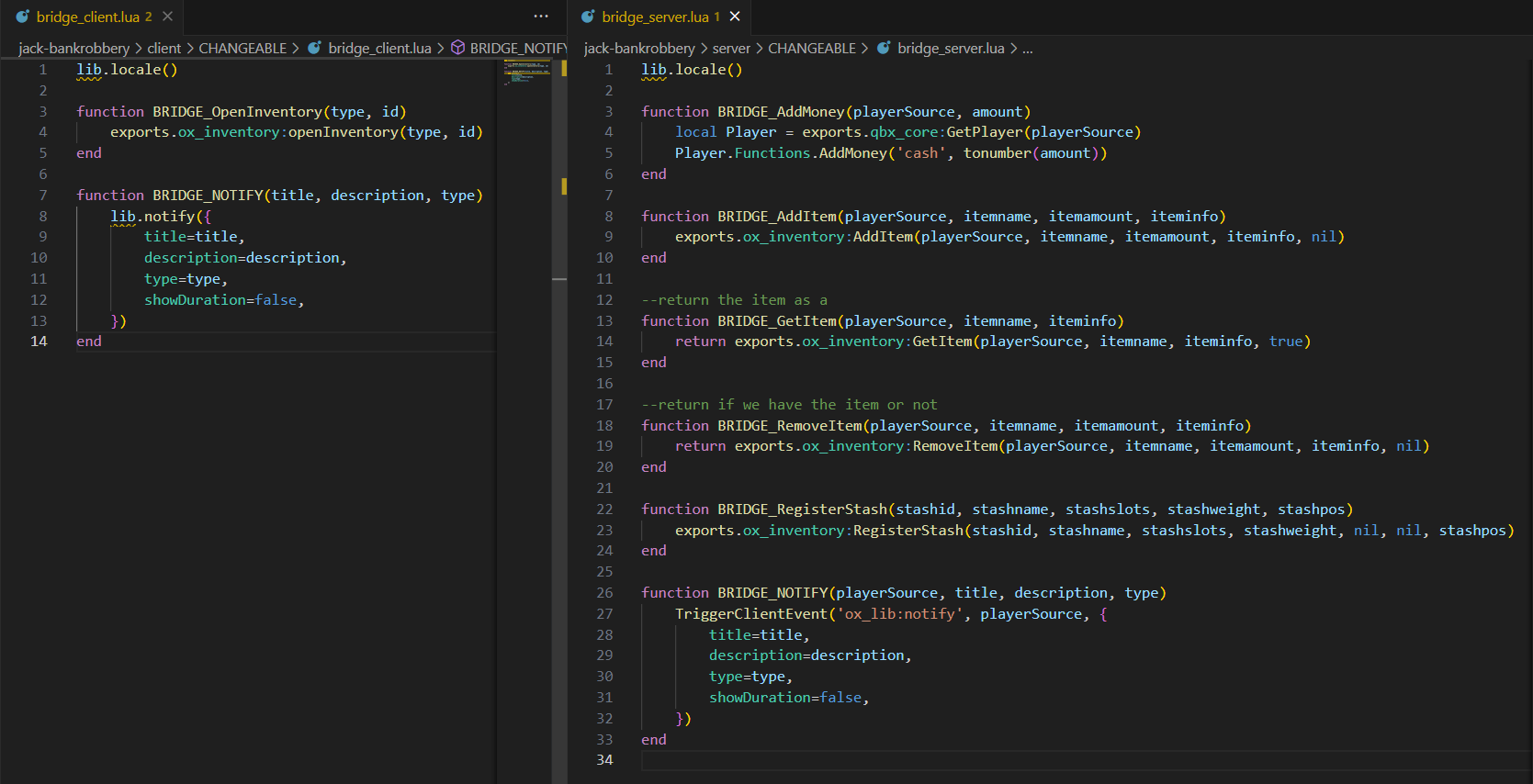
To support whatever framework you are using, modify the body of these functions accordingly. Do not change the parameters given as they are required by my code.
Logging and Locales
Logging
Various logging functions are exposed (called when key events like getting rewards, leaving banks, police close occur). These are available: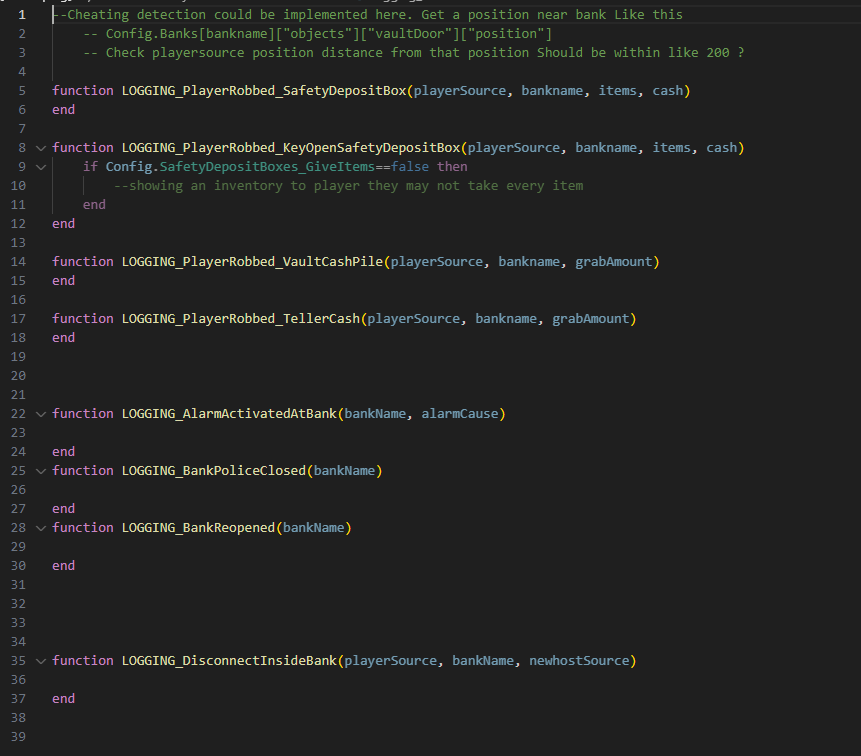
https://imgur.com/a/b2F3pVN
Locales
Locales exist under a folder and can be toggled using ox_lib methods.
Alerts and Minigames
All minigames for interactions can be modified. As long as the function returns a true or false depending on result of minigame.
(Currently using boii-minigames)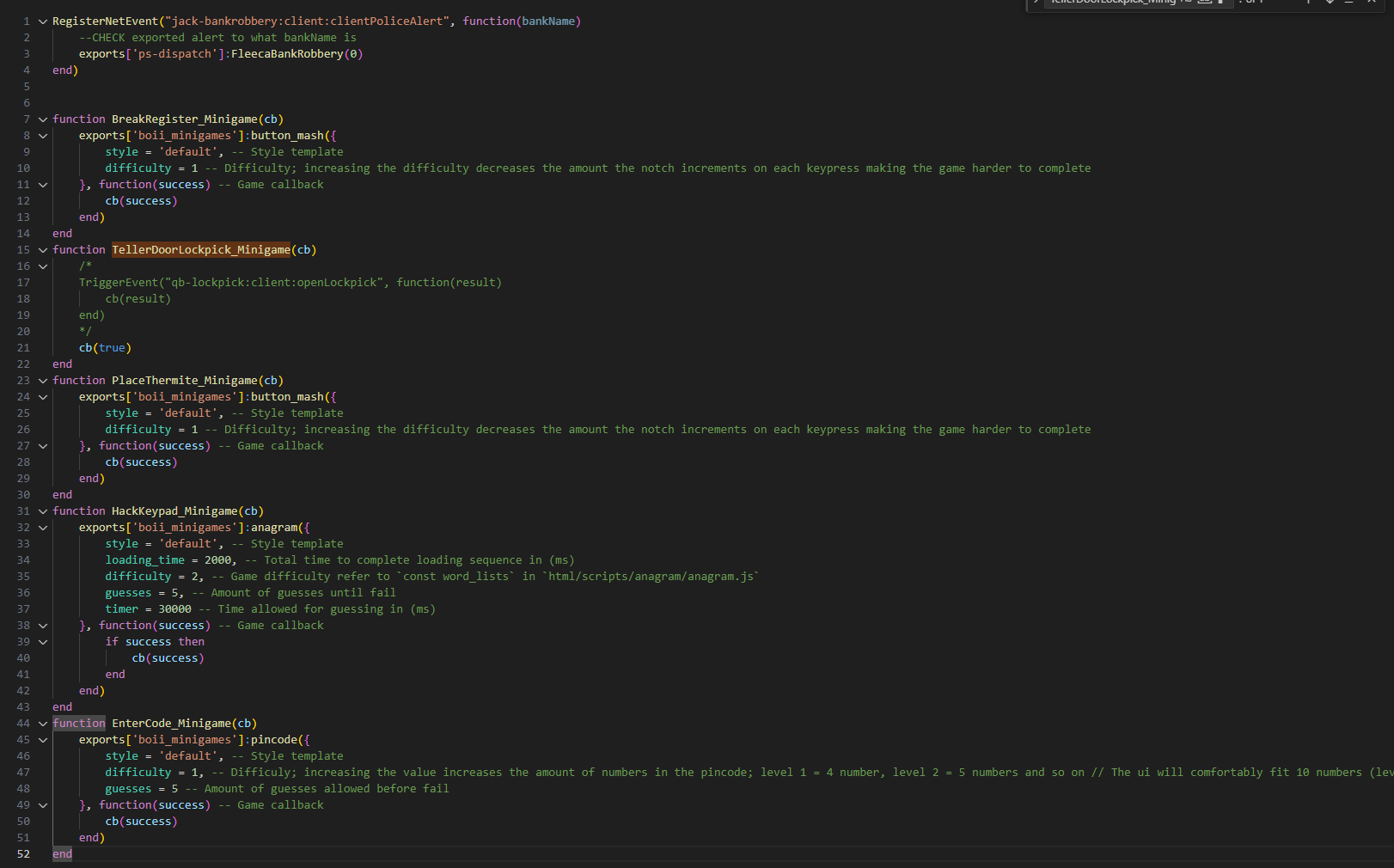
Alert is found at the top of this file, this function is called once when the bank enters the 'Event_Occuring' state
Balancing
Plenty of payouts and loot tables will need to be modified to fit the economy of your server. Please keep the same format / structure so my code knows how to read it.
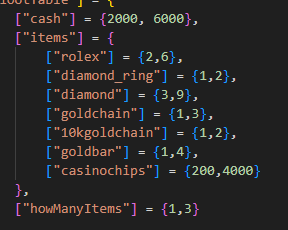
In this snippet, the curly brackets {x, y} indicate a range that a random function will use when determining the amount of a reward.
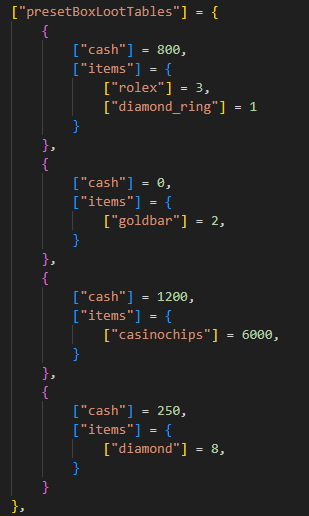
In this snippet, ["itemname"] is the same as the previous but now it equals a single number (no randomness)
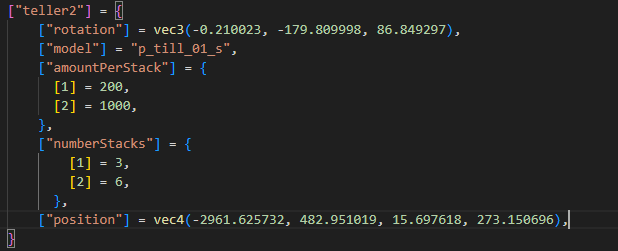
In this snippet there is [1] and [2], this is the same as the curly brackets {x, y} that means randomness. [1] being the lower limit and [2] being the upper.
State bag rate limit
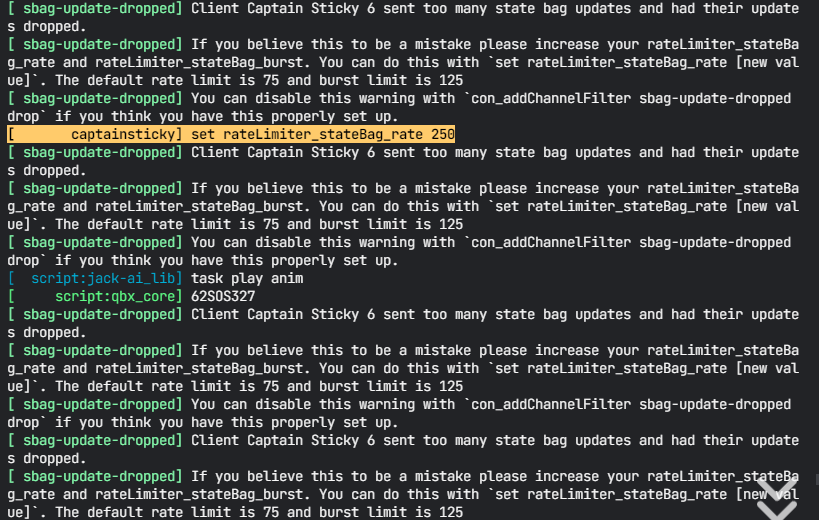
If you run into weird consistency errors between clients or at all, a potential issue is the statebag rate limit.
You can view your current limits using these commands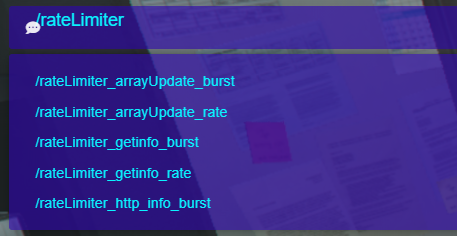
/rateLimiter_arrayUpdate_burst
/rateLimiter_arrayUpdate_rate
/rateLimiter_getinfo_burst
/rateLimiter_getinfo_rate
/rateLimiter_http_info_burst
You can set these inside of the tx_admin console
set rateLimiter_stateBag_rate 20
set rateLimiter_stateBag_burst 80
set rateLimiter_getinfo_rate 40
set rateLimiter_stateBagSize_rate 16000
I believe what works best is setting the statebag rate to 20-40 and the burst to 80 (i think thats default)
And setting the getinfo rate to 40
Again if you encounter issues txadmin may tell you, or you could just try raising these limits